Core Features

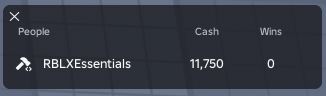
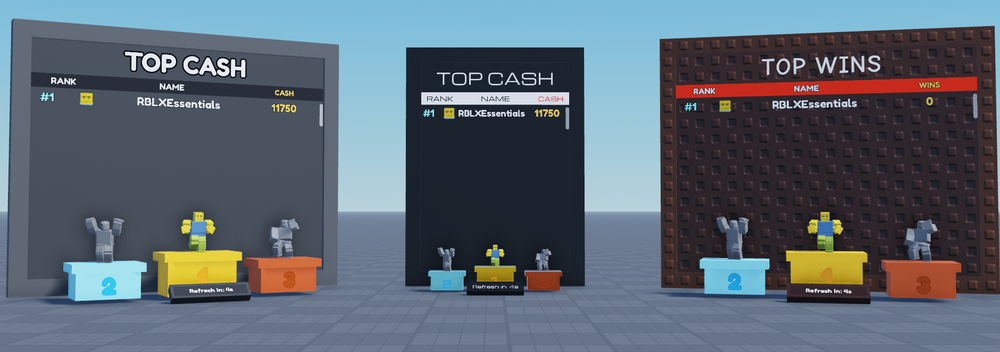
Setup
Developer API
Nothing to call
This pack has no API of its own, so there is nothing here to learn. The code below is Datastore & Purchase System's, the pack that owns the numbers. You change the save, and both places follow.-- Datastore & Purchase System's API, not this one's.
local ds = ctx.require("DatastorePurchaseSystem")
-- Change the number in the player's save.
ds.Increment(player, "Stats.Cash", 250)
-- The Tab menu row updates. The board ranks it
-- on its next refresh. You wrote no code for
-- either one.
print(ds.GetValue(player, "Stats.Cash"))Customisation
Which stats appear, and how they read
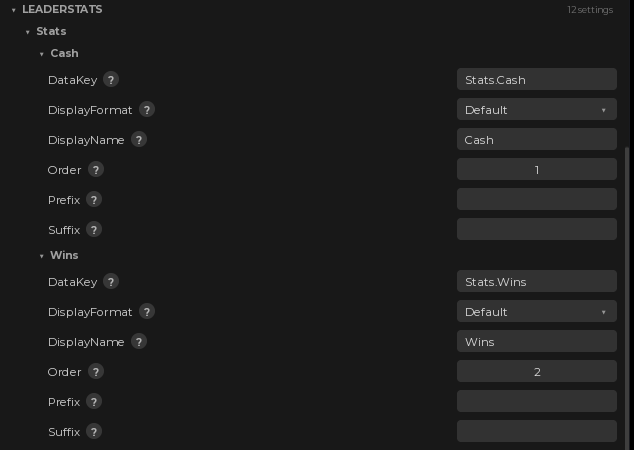 A display name, a position and a number format per stat, plus a prefix and a suffix for the ones that need a symbol. The data key is filled in from your Default Data and locked, so a stat can never point at a value you do not save.
Value formats and board headings
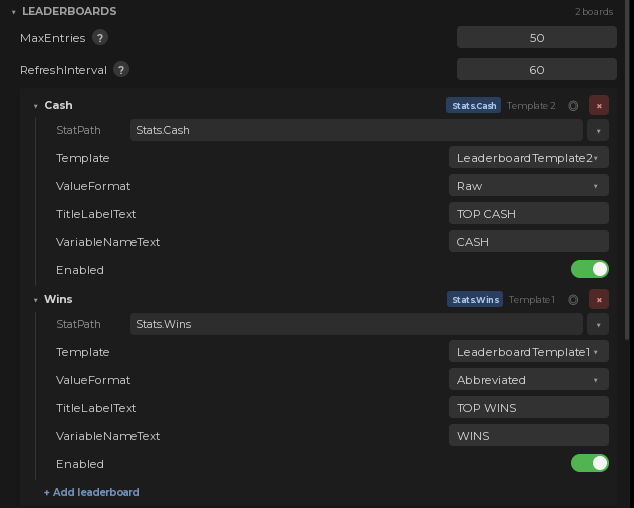 Each board shows its values Raw (52500), Comma (52,500) or Abbreviated (52.5K), and carries its own title and column heading. Change either and the board in the world says it too. How many names a board lists and how often it refreshes are set once, at the top, for all of them.
Duplicate a board and it is found
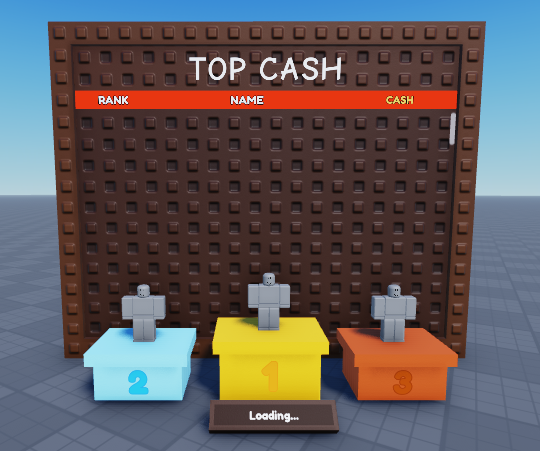 Boards are discovered from the workspace by an attribute, not from a list you maintain. Copy one in Studio, drop it where you want it, and the plugin picks it up as a new entry you can point at a different stat.
Works great with
 Required
 Cash
Cash Wins
Wins Gifts
Gifts Rewards
Only Datastore & Purchase System is required, because it is where the numbers live. The rest are packs that hand out those numbers, so whatever they give a player is already on the board.
Documentation
Every field, the plugin panels and the version history live at rblxessentials.com/docs.
Updates
📋 Version history and changelogs for all packs are available at rblxessentials.com/docs#changelog.